1% cashback on all card spend
With Capital on Tap, it takes seconds to give employees their own business cards, it costs nothing, and you stay in full control.
Your employee cards sync automatically with your accounting software. Transactions are captured the moment they happen, with no manual entry and no chasing receipts.
Getting your team set up is straightforward.
Employee cards make managing spending easier for everyone, not just the person holding the account.
Staff get their own card and never have to spend personal money or wait for reimbursements. Buying anything for work is quick and easy.
Set a limit for every card and see every transaction in one place. No surprises, no chasing people down.
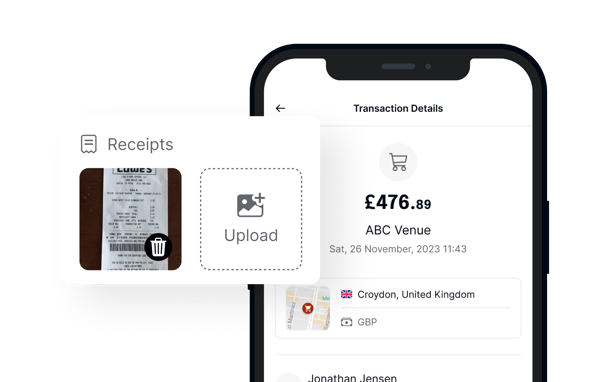
No more chasing receipts. All expenses are stored digitally in one place, making reports and bookkeeping faster and easier.
Read our customer storiesBeing able to have multiple employee cards is really useful for us, and the process of getting a new card is super easy.
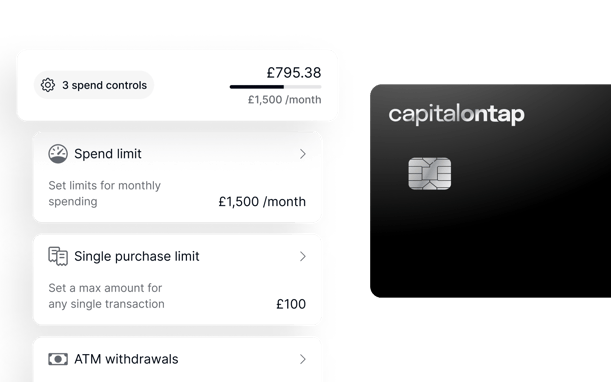
Choose exactly how much each person can spend. Set monthly or per-transaction limits to match each role. Your spending policy runs itself, preventing overspending before it happens.
Keep your whole team within budget, without watching over their shoulder.
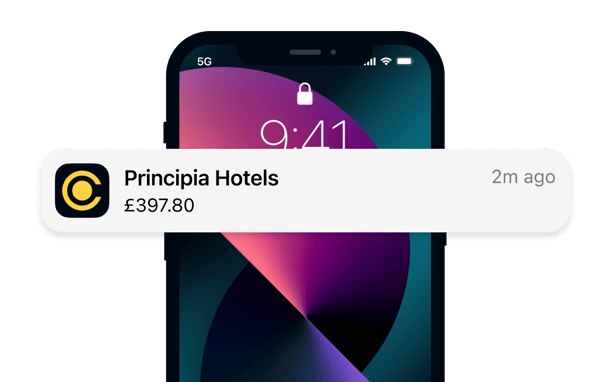
Track every transaction in real time from your mobile app or online portal, so you are always up to date whether you are at your desk or on the move.
Employee cards allow small business owners to empower their team while maintaining control over spending. By providing staff with their own cards, companies can streamline expense management, improve accountability, and boost productivity by eliminating time-wasting reimbursement processes.
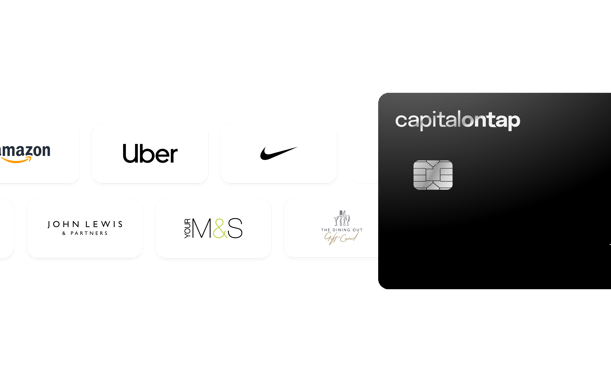
Every time your team makes a purchase with their Capital on Tap Business Credit Card, your business earns 1% cashback, automatically. The more your team uses their cards, the more you get back.
Top up your account with Preloading to give your team more to spend. Pro customers earn 1.25% cashback on preloaded spending. Redeem your points for cashback, gift cards, or travel rewards.
New hire starting today? Don't wait for a card in the post. Issue them a virtual cards instantly and they're ready to spend within minutes.
A business expense card is a payment card your business gives to employees for work purchases. Each card is linked to one person, making it easy to track spending and reduce paperwork. Capital on Tap employee cards are free, come with individual spending limits, and sync with Xero, Sage, and QuickBooks.
Read our guide on using your business credit card effectively for more advice on issuing employee cards responsibly.
You issue each employee their own card, linked to your main business credit card account. Each card has a spending limit you control. Transactions appear in your account instantly and receipts can be uploaded from the Capital on Tap app. Virtual cards are available straight away. Physical cards arrive in the post.
Yes, for most small businesses employee cards save significant time and reduce the risk of untracked spending. They remove the need for reimbursements, give you real-time visibility, and sync with accounting software automatically. With Capital on Tap, employee cards are free and you set the limits, so you stay in full control.
Free employee business credit cards mean your team never has to spend personal money on work expenses. With the Capital on Tap Business Credit Card, you get unlimited cards at no cost, real-time spend tracking, and automatic sync with your accounting software, plus 1% cashback on every team purchase.
Employee cards are completely free with Capital on Tap. There's no limit on how many you can add and you'll never be charged for them, no matter how many people are on your team.
For existing or new employees, including contract workers, getting a Capital on Tap expense card is easy.
Simply go to the ‘Cards’ page in your account and select 'Request New Card'. Provide the employee's name and mobile number. They'll receive a link to confirm details and agree to the terms. Once approved, their new card will be issued.
Set individual spending limits when you issue each card, monthly or per transaction. You can see every transaction in real time from your app or portal. If there is an issue, freeze any card instantly. Requiring staff to upload receipts through the app gives you a full audit trail with no extra effort.
The most important step is to combine two things: set clear spending limits on each card and require mandatory expense documentation. Your company's formal expense policy must define acceptable purchases (e.g., fuel vs. personal dining) and mandate that receipts are submitted quickly. This prevents surprises and ensures compliance. For a full checklist on setting up your internal rules, see our guide To Using Your Business Credit Card Effectively.
The main risks are unauthorised personal purchases, overspending without clear limits, and gaps in your expense policy. Capital on Tap lets you set spending limits on every card, block ATM withdrawals, and freeze cards instantly. The primary cardholder is responsible for all debt on the account, so a clear written expense policy is essential before issuing cards.
Page last reviewed on 27 July 2026